What Is robots.txt? Controlling Crawlers and AI Bots
robots.txt tells crawlers which parts of your site they may access. Learn how it works, how to control AI bots with it, and the mistakes to avoid.


robots.txt is a plain-text file at the root of a website that tells crawlers which parts of the site they may or may not access. It's a long-established web standard, read by search engines and, increasingly, by AI crawlers. In the AI era it has taken on a new role: it's the primary place you decide which AI bots can reach your content — a decision that directly affects whether your brand can appear in AI answers. Used well, robots.txt is a precise control panel; used carelessly, it can accidentally make you invisible.
This guide explains what robots.txt is, how it works, what it can't do, how to control AI bots with it, the critical pitfalls, and best practices.
How does robots.txt work?
A robots.txt file lists rules grouped by user-agent — the name a crawler announces itself as. Each group pairs a User-agent: line with Allow: or Disallow: directives specifying paths. A crawler that respects the standard reads the file before crawling and follows the rules addressed to it (or the wildcard * group). You can also reference your XML sitemap with a Sitemap: line. The syntax is simple, but precision matters: a lone user-agent name with no directive does nothing, and the name must match exactly how the crawler identifies itself.
What can't robots.txt do?
robots.txt has important limits. It is a request, not enforcement: compliant crawlers obey it, but it cannot technically prevent a determined or ill-behaved bot from accessing public content. It is therefore not a security mechanism — sensitive content needs real protection like authentication, not a Disallow line. And disallowing a page from crawling is not the same as removing it from an index; that's what noindex and other controls are for. Think of robots.txt as polite, voluntary traffic direction for well-behaved crawlers.
How do you control AI bots with robots.txt?
The key insight in 2026 is that AI access is a per-bot, per-category decision, not an all-or-nothing switch. AI crawlers fall into distinct categories, and major providers expose separate user-agents for each, so you can allow the ones that make you visible while blocking the ones you don't want.
| Category | Examples (user-agents) | Effect of blocking |
|---|---|---|
| Training crawlers | GPTBot, ClaudeBot, CCBot, Google-Extended (token) | Keeps content out of model training; little immediate visibility loss |
| Retrieval / search crawlers | OAI-SearchBot, Claude-SearchBot, PerplexityBot | Removes you from that engine's answers — immediate visibility loss |
| On-demand fetchers | ChatGPT-User, Claude-User, Perplexity-User | Stops live, user-triggered fetches of your pages |
For most brands seeking AI visibility, the sensible posture is to allow retrieval and on-demand bots (so you can be cited in answers) while deciding separately whether to allow training crawlers. A few cautions: Google-Extended and Applebot-Extended are robots.txt opt-out tokens for AI training that never appear in your server logs; and some user-triggered fetchers have been reported not to fully honor robots.txt, so logging and, if needed, server-level rules matter for those.
What is the most dangerous robots.txt mistake?
The most damaging error in the AI era is blocking the wrong thing and disappearing from search. There is no separate user-agent for Google's AI Overviews — they're powered by Google's main index — so blocking Googlebot to avoid AI features would remove you from regular Google Search entirely. Likewise, a blanket Disallow: / for unknown bots can silently block new AI crawlers from platforms where your audience is searching. The safest pattern is to explicitly allow the bots you want rather than rely on the absence of deny rules, and to never block Googlebot in an attempt to opt out of AI Overviews.
How does robots.txt relate to llms.txt and sitemaps?
These files do different jobs and should stay consistent. robots.txt controls access (what crawlers may fetch); a sitemap aids discovery (here are my important URLs); and llms.txt, a newer community convention, offers AI systems a curated guide to key content. Contradictions between robots.txt and llms.txt are a known mistake — for example, pointing AI to content you've also disallowed. Treat them as a coordinated stack: allow access where you want visibility, list canonical URLs in the sitemap, and keep any llms.txt aligned.
robots.txt checklist
- Place it at the root and reference your sitemap.
- Decide AI access per category — training vs retrieval vs on-demand.
- Allow retrieval/search bots if you want AI-answer visibility.
- Never block Googlebot to avoid AI Overviews — it removes you from Search.
- Explicitly allow wanted bots; avoid blanket wildcard blocks.
- Match user-agent names exactly and keep robots.txt, sitemap and any llms.txt consistent.
Frequently asked questions
What is robots.txt?
robots.txt is a plain-text file at a website's root that tells crawlers which parts of the site they may or may not access. It's a long-established standard read by search engines and, increasingly, AI crawlers.
Can robots.txt block bad bots or secure my site?
No. It's a voluntary request that compliant crawlers obey; it cannot technically stop a determined bot and is not a security mechanism. Sensitive content needs real protection like authentication.
How do I control AI crawlers with robots.txt?
Set rules per user-agent by category — training crawlers (GPTBot, ClaudeBot, CCBot), retrieval/search crawlers (OAI-SearchBot, Claude-SearchBot, PerplexityBot), and on-demand fetchers (ChatGPT-User, Perplexity-User). Allow the ones that make you visible and block the rest.
Will blocking Googlebot stop AI Overviews?
No — and it would remove you from regular Google Search. There is no separate user-agent for AI Overviews; they use Google's main index, so you cannot opt out of them by blocking Googlebot without losing Search entirely.
How does robots.txt relate to llms.txt?
robots.txt controls access, while llms.txt is a newer community convention that guides AI systems to key content. Keep them consistent; contradicting the two — guiding AI to content you've disallowed — is a common mistake.

Written by
Federico Ergang
Cliro cofounder & CEO
Federico Ergang is cofounder and CEO of Cliro, the AI visibility and GEO platform for Latin America.
Related articles
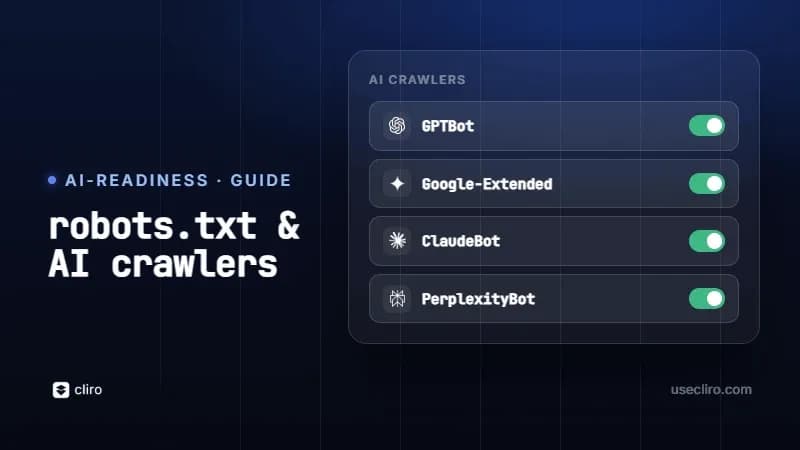
robots.txt for AI crawlers: GPTBot, ClaudeBot and more
Which AI crawlers exist, which to let in and how to set up your robots.txt so AI can cite you. With ready-to-copy templates.
What Is Crawling in SEO? How Search Bots Find Pages
Crawling is how search engine bots discover and read the pages on your site. Learn how it works, how to control it with robots.txt, and how to fix crawl errors.